
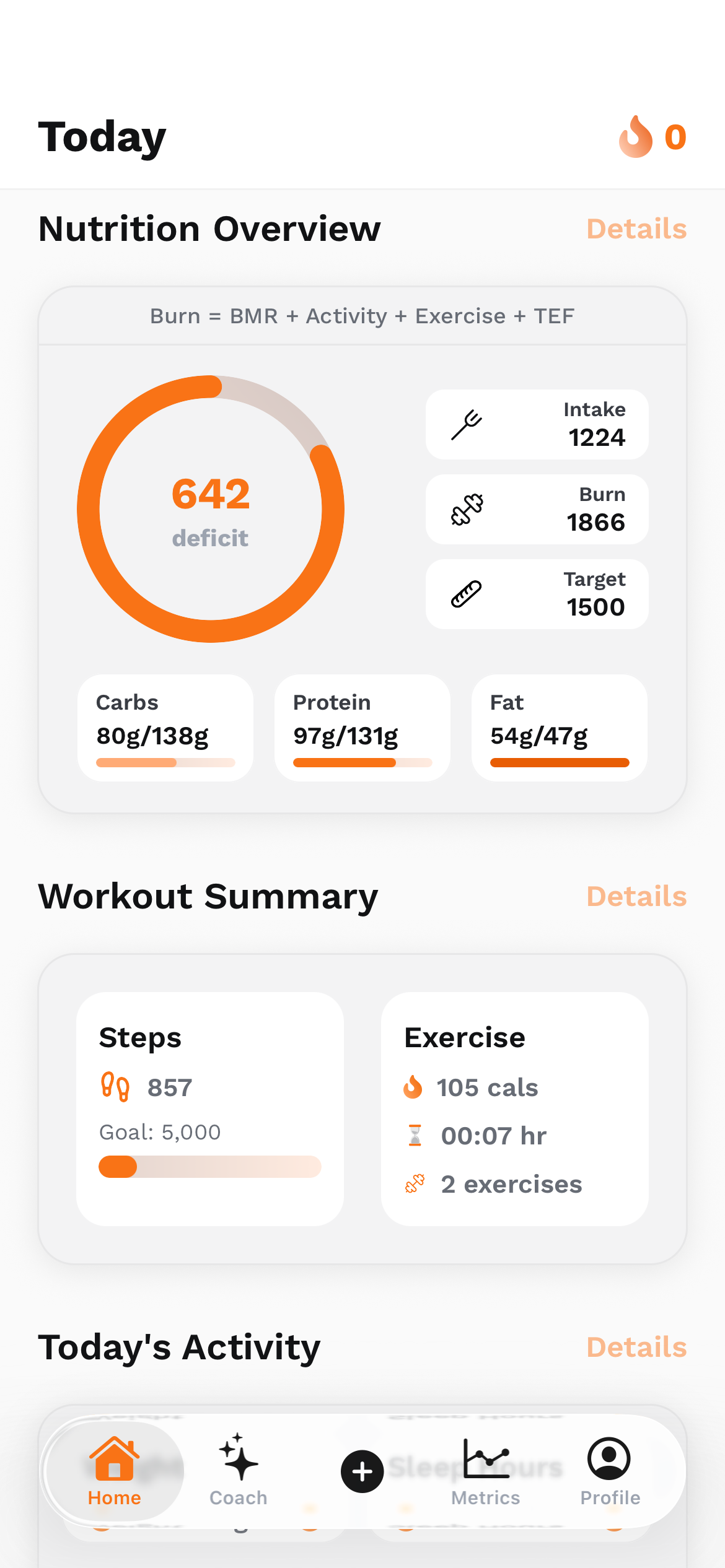
I co-founded UltraFit360, so this is a founder’s perspective on a product category I work in. It is not an independent ranking or a hands-on benchmark of every competitor. Trainerize, Everfit and TrueCoach already combine client apps with substantial coaching tools. My interest is how a platform connects the things a person logs with the support a coach can provide.
Compare the workflow around the workout
A personal fitness tracker and a coaching platform overlap, but they do different jobs. A tracker helps someone record activity. A coaching platform also has to help another person understand that activity, deliver a plan and follow up. That second relationship changes what a useful dashboard needs to show.
I would compare the whole path: a coach assigns or adjusts a plan, the client follows it, the app records the result and the coach uses that information in the next conversation. If one part happens in a separate spreadsheet or an unconnected chat, the coach has more context to reconstruct.
That is why this comparison focuses on the client app, nutrition, programming, progress and the human-coaching workflow. I am not assigning a universal winner. A platform with excellent payment automation may be the right choice for one business, while a different team may care most about the connection between daily logs and coaching decisions.
Established competitors already cover substantial ground
ABC Trainerize documents personalized and group programming, habits, nutrition tracking and messaging. Its nutrition offering includes meal logging and targets, with advanced planning capabilities available through its paid-plan add-on structure. A coach should check the exact tier and add-ons they need rather than assuming every feature is included in the entry plan.
Everfit documents workout programming, meal plans, habits, team management, communication and an AI suite. Its MacroSnap feature supports meal-photo, barcode and nutrition-label logging in the client app, with editable ingredients and portions. Photo-assisted food logging is therefore already part of the competitor landscape.
TrueCoach documents programming, client tracking, messaging and team accounts, alongside nutrition metrics, meal-plan uploads and MyFitnessPal integration. Its nutrition guide places those capabilities on Standard and Pro plans. These products deserve a serious comparison on their actual strengths, rather than a claim that other apps only count workouts.
A practical feature map, without invented missing features
This is a summary of documented offerings checked on 1 November 2026. It is not an exhaustive feature audit. A feature absent from this table should not be interpreted as absent from the product. Current pricing, regional availability and plan limits belong in the final purchase decision.
Scroll the table horizontally to see all columns.
| Platform | Documented coaching and client experience | Questions to check in a demo |
|---|---|---|
| ABC Trainerize | Programming, client nutrition, habits, messaging and business add-ons. | Which nutrition-planning and business features need add-ons for your plan? |
| Everfit | Programming, nutrition and MacroSnap, communication, teams, booking and AI tools. | Which automation and AI features are included in the package you need? |
| TrueCoach | Programming, client tracking, team accounts, nutrition metrics and meal-plan sharing. | Does the workflow match the way you deliver nutrition and progress reviews? |
| UltraFit360 | Mobile food/workout/metrics logging, AI coaching and analysis, plus a coach portal with independent and organisation workflows. | Can your intended client-sharing, plan-assignment and review flow be completed end to end? |
The UltraFit360 idea is a connected daily loop
The product brings nutrition logging, workout planning and tracking, health metrics, progress photos and AI coaching into the mobile experience. Food can be entered through supported text and image-based flows. Workout records and progress information give the app a continuing picture of what the user has chosen to log.
That does not make every recorded value equally certain. A food-photo estimate depends on ingredients and portions. Photo-based physique feedback is an estimate rather than a clinical measurement. Camera-guided form-checking supports exercise feedback; it should not be described as continuous posture monitoring or a medical diagnosis.
What interests me as a builder is the connection between those pieces. A workout log without nutrition context can leave an incomplete story. A nutrition total without the person's training and goals can do the same. Presenting the information together can make a coaching conversation more useful, while still leaving room for missing data and human judgement.

The coach portal adds a human layer
UltraFit360’s website includes an independent-coach onboarding path and organisation workflows for teams. The portal supports client management, program and meal-plan templates, check-ins, messaging and scheduling. Its client-detail views include nutrition, workouts, metrics, check-ins and photos where access is available.
For a solo coach, the useful question is whether these views reduce the work of collecting context before a conversation. For an organisation, there is also the question of responsibility: who works with which client, what a head coach can oversee and how a team keeps its plan delivery consistent.
I want to be precise about the word “everything”. A coach does not automatically see everything about every app user. The relationship, permissions, supported views and available records determine what can be reviewed. A blank log is not evidence that a client did nothing, and a pending invitation is not permission to inspect their history.
Could that also support an adult family member?
Yes, there is a useful idea here beyond a commercial coaching business: adults who want help staying consistent may choose to share a supported coaching relationship with someone they trust. The same basic pattern can make discussions about meals, activity and progress less dependent on remembering everything later.
I would frame that as an opt-in accountability use case through the existing coach/client workflow, not a dedicated family-monitoring product. It needs an eligible account, an accepted relationship and an understanding of which information is shared. The family connection itself does not override those controls or establish a professional qualification.
The intention should be encouragement that the other person actually wants. Decide together what to track, how often to discuss it and when to stop sharing. Account passwords, private photos and health information should not become available just because someone is concerned. For clinical needs, a qualified professional belongs in the loop.
AI can organize context; a coach still has to interpret it
An assistant can help summarize records, make a pattern easier to notice or reduce the friction of asking a question about the data. That can make the human conversation better prepared. It does not establish why a number changed or prove that an automated recommendation is right for a particular person.
The useful question is whether the platform leaves room for a correction. A client may need to change a portion estimate, clarify an incomplete workout or explain a week that looks unusual. A coach may need to adapt the plan based on that conversation. A system should support that exchange rather than reduce it to a compliance score.
This is also how I think about the relationship between the mobile app and the portal. The client experience needs to be usable enough that logging is realistic. The coach experience needs to make the recorded information understandable. Both sides matter if the connection between them is going to be useful.
Choose with one real client scenario
I would test each shortlisted platform with the same scenario: create a client relationship, deliver a simple program, record a workout and a meal, review the records, then adjust the next step. Add a second coach if team work matters. The time and confusion in that flow can tell you more than a long checklist.
Ask about plan limits, nutrition add-ons, exports, access after a coaching relationship ends and how clients correct their data. If AI features are important, try the actual task you intend to use them for. A good demonstration should show the limitations as clearly as the most polished screen.
My interest in UltraFit360 is that connected app-to-coach loop. The right way to evaluate it is to try that loop and decide whether it fits your work. I would rather a reader understand the product honestly than leave with a claim that every competitor lacks features they already provide.
Sources & project links
- ABC Trainerize: coaching platform overview
- ABC Trainerize: nutrition features and add-ons
- Everfit: coaching, teams and AI features
- Everfit: MacroSnap meal scanning
- TrueCoach: team accounts
- TrueCoach: nutrition coaching features
- UltraFit360: app features
- UltraFit360: coaching portal overview
Technical references checked .