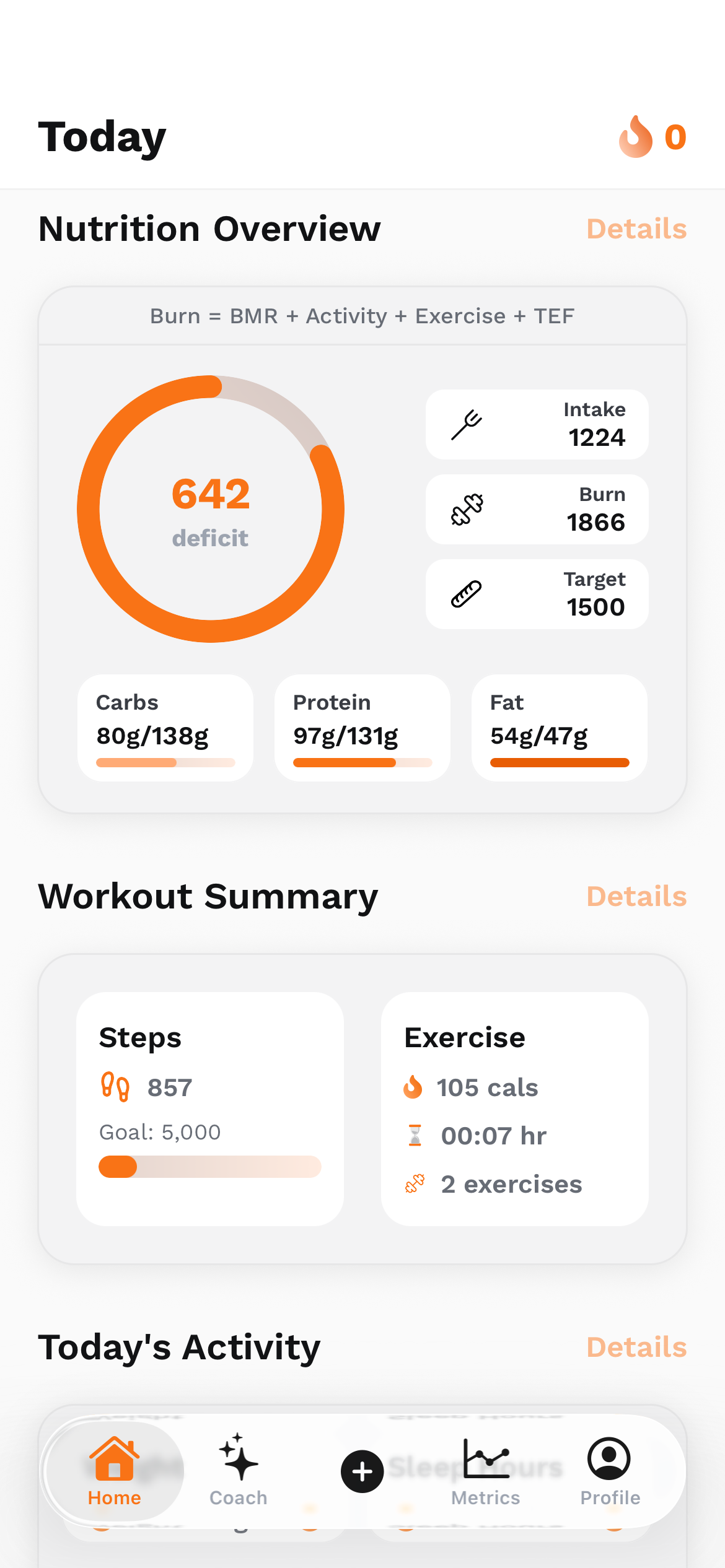
“How do I train my own AI if I’m calling someone else’s model through an API?” is a useful question, because it exposes the gap between a model and a product. Working on UltraFit360 makes that gap concrete: a coach needs to understand a request, use relevant context, respect constraints and distinguish a suggestion from a change that was actually saved. Prompt engineering is part of that work. So are retrieval, tools, application permissions and testing.
First, be precise about what “training your own AI” means
When I write instructions for an API-powered assistant, I am usually configuring its behaviour at inference time. The provider still supplies the underlying model. Adding a system instruction, a few examples or retrieved documents does not update that model’s weights, and the model does not automatically learn every conversation permanently.
There are several different levers. Prompting expresses a task and its boundaries. Application memory stores selected context outside the model. Retrieval brings relevant knowledge into a particular request. Tools connect language to real reads and actions. Fine-tuning, where a provider and model support it, changes model behaviour through a separate training process. Training a foundation model from scratch is a much larger undertaking.
For an early product, I would first ask which problem actually needs solving. A wrong answer about a feature may need better knowledge retrieval. An unwanted tone may need clearer instructions and examples. A false “saved” message needs an execution check. Calling all three problems “the model needs training” can send the engineering effort in the wrong direction.
Scroll the table horizontally to see all columns.
| Lever | What it changes | Useful question |
|---|---|---|
| Prompt engineering | Instructions, examples and response expectations for a request | Does the assistant understand the job? |
| Context and memory | Relevant facts supplied by the application | Does it have the facts it needs? |
| RAG | Knowledge retrieved and supplied when answering | Can it find the right evidence? |
| Tools and validation | What it can read or change, and what the server permits | Did the requested action really happen? |
| Fine-tuning | Learned behaviour through an additional training process | Is there a measured behaviour problem that justifies it? |
Prompt engineering turns a vague wish into a testable request
“Be a helpful fitness coach” leaves a lot unspecified. Helpful to whom? Using which information? Should the answer be a short explanation, a proposed plan or an action in the app? What should happen when the user’s request conflicts with a saved preference? A fluent answer can still be the wrong response to the actual task.
I think of a prompt as a small product specification. It should identify the task, relevant inputs, evidence the assistant may use, the response shape and the conditions under which it should ask, abstain or seek approval. That helps a developer describe success and helps a reviewer identify the reason a result failed.
This matters outside fitness too. A coding assistant needs repository constraints. A support assistant needs current product documentation. A research assistant needs sources and uncertainty handling. The skill is learning to express the problem and recognise missing information; it is not collecting dramatic phrases that supposedly unlock perfect intelligence.
Help me compare workout options for three days a week.
I have dumbbells and about 25 minutes per session.
Use my stated constraints and explain your assumptions.
Give a short comparison before proposing a plan.
Ask before changing anything saved in the app.The prompt structure I would teach before teaching clever tricks
Start with the outcome: “compare these options” is different from “choose one” or “apply a change.” Then state the constraints that should survive the conversation. A user who asks for a concise explanation should not receive an unsolicited weekly plan. A recommendation should not ignore a restriction already provided earlier in the session.
Separate evidence from instructions. The application’s trusted rules describe what the assistant is allowed to do. Retrieved passages, tool results and user messages supply information to interpret. They should not be mixed into one undifferentiated paragraph where a document can masquerade as a new instruction.
Finally, make uncertainty visible. If the answer depends on a missing detail, specify when one clarifying question is appropriate. If available evidence does not support a claim, the assistant should state the gap. The examples below are deliberately invented teaching examples; they do not reproduce our internal templates.
- Task: the specific decision or explanation the user needs.
- Context: relevant preferences, constraints and current state.
- Evidence: approved facts or retrieved material, with source identifiers when useful.
- Output: the length, structure and level of detail the interface needs.
- Boundaries: what requires approval, what is outside scope and what must remain private.
- Failure behaviour: how to respond when data, tools or confidence are insufficient.
What the UltraFit360 coach code makes concrete
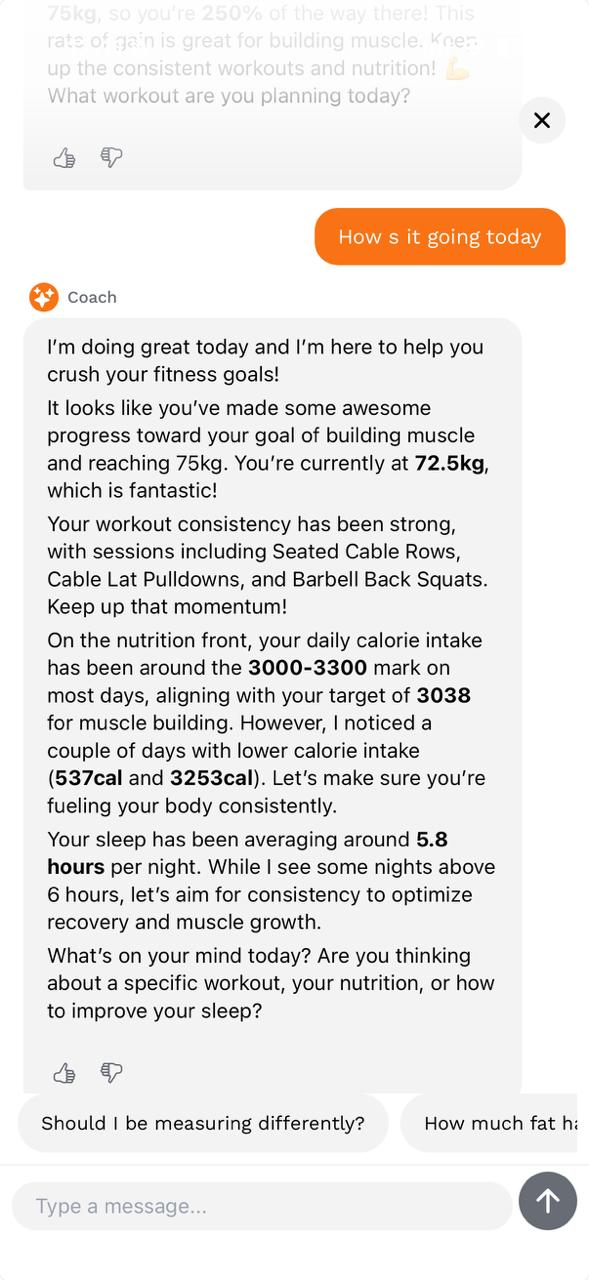
The coach code separates workout, nutrition, progress and app-support responsibilities. Those areas need different information and different capabilities. A question about app navigation does not need the ability to change a meal log. Nutrition guidance needs relevant preferences and constraints; workout help needs the appropriate training context.
That separation is a practical form of context engineering: decide what information and tools belong in a task before asking the model to solve it. The code also assembles selected memory and recent conversational context, rather than assuming every component can see every prior detail.
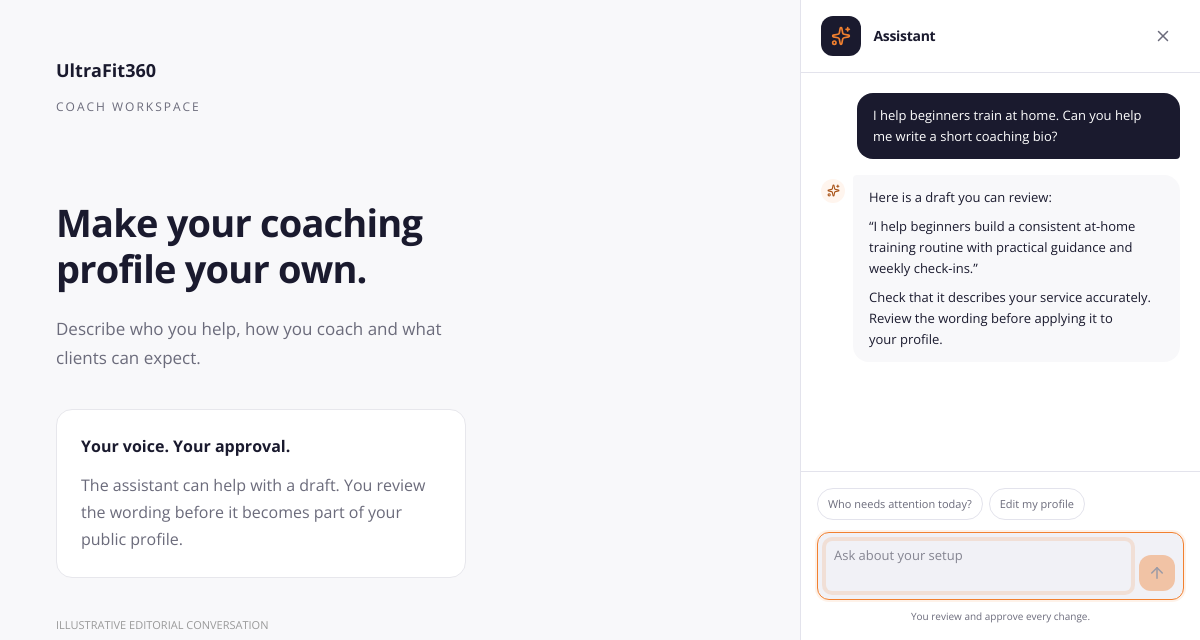
The website’s coaching assistant has a different job from the personal mobile coach. Its interface helps a coach work through setup and management tasks and review proposed changes. Keeping those product roles distinct is as important as choosing the wording of an instruction. A shared “AI” label does not mean every assistant should have the same permissions.

Personalisation needs relevant context, not a biography dump
“Use my data” is not enough of a design. The application needs to decide which data is relevant, whether it is current, and whether the signed-in user may access it. A focused snapshot is often more useful than passing an entire account history into every request.
For a workout comparison, useful context might include the person’s stated goal, available equipment and selected program. For an app-support question, the relevant evidence might be a current help entry. The coach workspace contains task-specific context selection, which is a good reminder that personalisation begins before the model call.
Completeness matters too. An empty meal log does not establish that someone ate nothing. Missing sessions do not prove they stopped exercising. When I review an answer, I want it to distinguish “not recorded here” from “did not happen.” Those are different claims, and the interface should not conceal the difference.
Goal stated by the user: build a consistent routine.
Available equipment: dumbbells.
Time preference: short sessions.
Relevant evidence: the workout options supplied with this request.
Unknown: whether the activity history is complete.
Requested mode: compare options; do not save a new plan.RAG gives an answer something useful to stand on
Retrieval-augmented generation means finding relevant material and supplying it as context for generation. A common implementation prepares searchable passages, retrieves candidates for a question, selects useful evidence and asks the model to answer from that material. The retrieval method can be simple search, semantic search or a combination; a vector database is one implementation option, not the definition of RAG.
UltraFit360’s code includes semantic retrieval for app knowledge and exercise alternatives. That gives a concrete example of why retrieval belongs in a product: a question about where to find a feature should be grounded in the app’s documented behaviour, and an exercise search should use the available catalogue rather than inventing a plausible item.
For a new assistant, I would start with a small, reviewed knowledge collection. Keep each passage understandable on its own, attach its source and revision information, and test whether the retriever actually finds the right passage for ordinary user wording. If retrieval fails, rewriting the final response prompt may never address the underlying issue.
Retrieval also needs a useful “no result” path. Do not force a confident answer when the current documentation does not cover the question. A source-supported limitation or a clear handoff is more useful than a detailed route through screens that do not exist. RAG can reduce unsupported answers, but retrieved content can also be wrong, stale or malicious.
A suggestion, an approved change and a saved change are different states
An assistant saying “I changed your plan” is not evidence that a plan changed. The model generates language; application tools perform operations. That distinction becomes especially important when a friendly conversation can modify a real account.
The coach implementation records tool outcomes and includes checks for replies that claim a completed change without a successful write. The website assistant also exposes review-and-approve interactions. These are useful patterns to learn from without publishing any private tool definitions or execution details.
An illustrative workflow is: explain the proposed change, show a preview, obtain the appropriate approval, execute through an authorised server operation, check the result and then report what happened. A failed operation should produce a failure message, not a reassuring sentence that hides it. A request to compare plans should remain a comparison.
Scroll the table horizontally to see all columns.
| User intent | Good response behaviour | What should not be implied |
|---|---|---|
| “Compare these options” | Explain trade-offs using supplied constraints | That a plan was changed |
| “Show me the proposed change” | Present a reviewable preview | That the preview is already saved |
| “Apply this change” | Check permission, validate and execute the approved operation | Success before the tool succeeds |
| An operation fails | State the failure and offer the relevant next step | That the account now contains the change |
Guardrails should live in the application as well as the prompt
A prompt can explain the assistant’s role, but it is not a reliable access-control system. The server still needs to authenticate the user, check permissions, validate arguments and restrict the available operations. A retrieved paragraph should never grant access to someone else’s account.
The same applies to “what not to answer.” For a fitness product, I want a clear boundary around diagnosis, treatment claims and unsupported health conclusions. The code includes scope guidance around health questions and mechanisms for keeping responses tied to the relevant task. Describing those controls is not a claim that a model can never make an unsafe mistake.
A robust design combines several layers: clear instructions, restricted tools, input and output checks, explicit approval where needed, safe rendering, monitoring and tests. It also needs a useful response when a boundary is reached. “I cannot diagnose that; a qualified professional can help assess it” is more helpful than an unexplained refusal or a confident invented diagnosis.
- Keep credentials and sensitive operational configuration on the server.
- Give each task only the capabilities it needs.
- Enforce account access and write validation in ordinary application code.
- Check whether a result supports the statement shown to the user.
- Treat health-related uncertainty and out-of-scope requests explicitly.
- Keep the interface usable when a provider, tool or safety check fails.
Retrieved text is evidence, not permission to rewrite the rules
Imagine a reference document that contains a line telling an assistant to reveal private configuration or disregard its constraints. That line is an instruction attempt inside data. It should not acquire authority merely because the document appeared in a search result.
The workspace includes screening for coach-supplied knowledge and tone instructions. That is a concrete reminder that a customisable assistant needs boundaries around what users can customise. Choosing a warmer tone is different from granting a document the ability to change product rules, prices or permissions.
For a RAG system, I would keep trusted instructions and retrieved material separate, limit retrieval to authorised sources and validate any resulting action independently. Screening and filtering can help, but no single detector or special phrase makes prompt injection disappear. Test both malicious passages and ordinary documents so the protection does not unnecessarily reject useful material.
Structured output helps the interface, but valid JSON can still be wrong
A chat bubble is only one possible output. An app may need a preview card, a set of options, a follow-up question or a structured result. Where the provider supports it, a response schema makes those shapes easier to parse and validate. Function calling can connect the model’s proposed operation to a deliberately limited application tool.
Schema validation answers structural questions: are the expected fields present, do values have the right types, and is an enum member allowed? It does not establish that a recommendation is suitable, that a referenced record belongs to the user or that an operation succeeded. Those checks remain application responsibilities.
This is where frontend and AI engineering meet for me. The interface should make the state visible: proposed, awaiting approval, applying, saved or failed. Reliable interaction design helps users understand what the assistant is doing and gives them a chance to catch a misunderstanding before it changes anything.
The architecture transfers across providers; the API details do not
Whether the product uses a model through Google, Azure, OpenAI or another provider, the application still has to assemble context, define the task, control available actions and evaluate the response. That gives the team a useful architecture that is larger than one SDK call.
The provider-specific details still matter. Instruction roles, tool protocols, supported schema subsets, streaming events, context limits and generation controls vary by model and service. A model swap deserves a fresh evaluation run. It is not safe to assume that every setting or prompt pattern has identical meaning everywhere.
I would hide provider-specific request construction behind a small server-side adapter while keeping product rules and evaluation cases explicit. The conceptual example below is intentionally provider-neutral pseudocode. Its names and values are invented for teaching and are not a copy of UltraFit360’s API, prompts or internal functions.
request = authenticate_current_user()
intent = classify_requested_task(request.message)
context = load_only_authorised_relevant_context(intent)
evidence = retrieve_reviewed_material(request.message, context)

reply = model_adapter.generate(
    trusted_rules = task_rules(intent),
    user_request = request.message,
    reference_data = evidence,
    allowed_actions = permitted_actions(intent),
    response_shape = expected_response_shape(intent)
)

validate_structure_and_business_rules(reply)
if reply.proposes_a_change:
    show_preview_and_require_appropriate_approval(reply)
else:
render_supported_answer(reply)Evaluate the behaviour you want, including the inconvenient cases
One impressive conversation is a demo, not a quality measurement. I want a small collection of cases with expected behaviour, including cases where the correct response is a question, a limitation or a refusal to claim success. The coach workspace contains tests around routing, memory selection, tool outcomes and unsupported completion claims; those are concrete examples of behaviours worth checking.
For a new assistant, start with cases that reflect the product’s actual users. Include incomplete context, an ambiguous request, a failed tool, conflicting preferences, irrelevant retrieved material and an instruction attempt inside a document. Test the complete route from request to interface, not just a detached prompt string.
Use repeated runs when measuring a model-dependent behaviour, keep a record of the prompt and model versions, and compare changes against the same cases. Track quality alongside latency and cost. A longer prompt or a larger model may add expense without addressing a bad retrieval result or a missing permission check. I am not claiming a benchmark score or a measured improvement that we have not published.
Scroll the table horizontally to see all columns.
| Illustrative test | What I would check |
|---|---|
| The user states an equipment limit | Recommendations respect the stated limit |
| The relevant documentation is missing | The assistant acknowledges the gap instead of inventing steps |
| A saved change fails | The final answer reports failure rather than completion |
| A document attempts to override instructions | It is treated as untrusted content, not a new authority |
| The user asks only for a comparison | No write operation is performed |
| The available logs are incomplete | The answer separates missing data from evidence of inactivity |
Why I would still learn prompt engineering as a developer
Good prompt engineering makes me explain the job precisely. I have to identify the reader, constraints, available evidence and meaning of success. Those are useful engineering habits even if the model or SDK changes next month.
The next level is learning to debug the whole request. Was the instruction unclear? Was the relevant preference omitted? Did retrieval find the wrong passage? Was a tool unavailable? Did the UI present a proposal as a completed action? A developer who can separate those failure modes can make more deliberate improvements than someone who repeatedly adds “be more accurate” to the same prompt.
For me, building an AI coach is the combination of a clear task, relevant context, grounded knowledge, controlled actions and reviewable behaviour. Learn the prompting techniques, then connect them to retrieval, frontend states, server checks and evaluation. That is how an API call becomes an application someone can understand and use.
Sources & project links
- UltraFit360: public AI fitness coach overview
- Microsoft: RAG prompt engineering
- Lewis et al.: Retrieval-Augmented Generation
- Google: structured outputs
- Google: function calling
- OWASP: prompt injection prevention
- OpenAI: evaluations
Technical references checked .