A sharper GTA 6 image on PS5 Pro does not by itself prove a 60 FPS mode. Resolution reconstruction, ray-tracing quality and frame rate solve different problems. Rockstar's launch information is the place to check supported modes; a television's refresh-rate label or an unofficial comparison video cannot establish the game's actual rendering cadence.
Read a graphics promise literally
Rockstar's launch communication discusses a 30 FPS target and PS5 Pro image enhancements. Check that source for the current wording and supported modes. A claim about sharper output or improved shadows is not a separate claim about a doubled frame rate. If the publisher later adds another mode, the correct update is to document it with a date and source.
This is particularly important in launch-week comparison posts. A headline may combine several true statements into a false implication: more powerful hardware, reconstruction technology and a high-refresh television do not jointly prove that a specific game runs at a particular frame rate.
Understand the frame budget
At a steady 30 FPS, successive frames are about 33.3 milliseconds apart. At 60 FPS, that interval is about 16.7 milliseconds. Those are arithmetic intervals, not measured GTA 6 results. Reaching the shorter interval requires the critical work for each frame to fit into it consistently. Improving only image reconstruction may leave simulation or other work as the limiting stage.
A city-scale game can involve world simulation, animation, visibility work, rendering and presentation. The exact bottleneck depends on its implementation and scene. Without profiling data, it is speculation to declare a particular subsystem responsible. The useful lesson is simply that performance is a pipeline rather than one number on a GPU specification sheet.
Different parts of the frame budget
A conceptual pipeline, with no measured GTA 6 timings or benchmark bars.
Simulation
- Game state
CPU work can include simulation, logic and scene preparation.
- Frame submission
Prepared work must reach the graphics pipeline on time.
Image output
- Rendering and reconstruction
GPU work and image reconstruction affect the final picture.
- Presentation
Display timing and frame pacing determine how frames arrive.
Improving one stage does not prove that every other stage can meet a shorter frame budget.
Keep image quality and motion quality separate
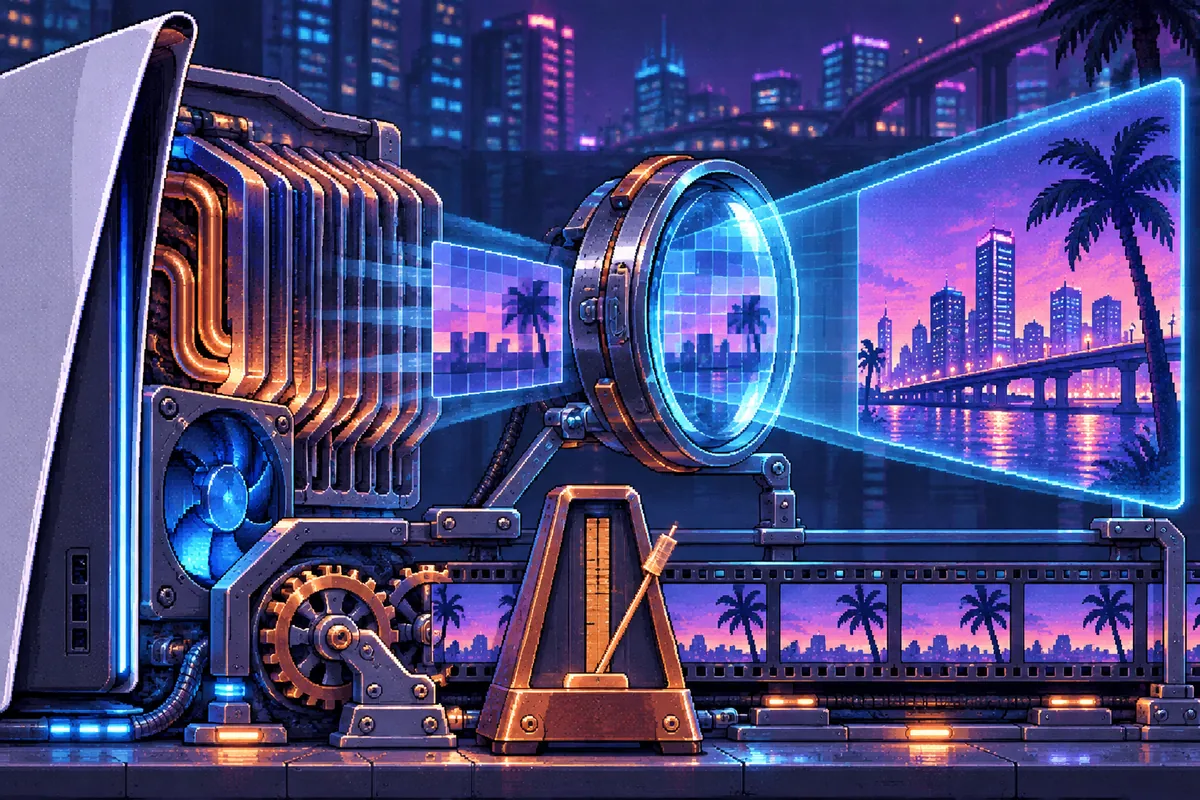
Reconstruction can create a higher-resolution output from a lower-resolution input. Its visual quality depends on the algorithm, source data, motion and integration. Ray-traced effects can improve particular lighting or shadow characteristics. Neither description tells you how evenly frames arrive or how quickly a controller action becomes visible.
Scroll the table horizontally to see all columns.
| Observation | What it can support | What it cannot prove alone |
|---|---|---|
| Sharper static scene | Better detail in that captured scene | A higher frame rate |
| Cleaner moving edges | Better reconstruction in that sequence | Lower input latency |
| Display reports 120 Hz | Display refresh capability or signal mode | 120 unique game frames each second |
| Stable frame-time capture | Consistency during the captured run | Every mission behaves identically |
| Publisher lists a mode | Official support for that mode | Identical performance in all scenes |
What a useful comparison should disclose
A credible test names the console, game version, graphics mode, display settings and capture method. It uses comparable scenes and explains whether the footage measures unique rendered frames or merely records an output signal. Compression can hide image differences; a still image can hide pacing problems. Prefer analysis that makes those limitations visible.
If someone reports input latency, look for the input device, display mode and measurement method. A frame-rate counter is not a complete end-to-end latency measurement. Likewise, a short average FPS figure can hide a few disruptive long frames. The right evidence depends on the claim being made.
Choose hardware around your actual priorities
If you already own a supported console, start with the official mode information and reliable comparisons before upgrading for this one title. Decide whether you care most about image clarity, particular effects, motion or the wider library. Do not pay for an assumed 60 FPS mode merely because the hardware could run other games at that rate.
For a new purchase, compare the complete cost, including the edition, required accessories and any disc-drive choice. A technically better image may matter to you; that remains a preference rather than proof of a higher frame rate. The separate disc-versus-digital guide helps organise that purchasing decision without inventing regional prices.
A short checklist for the next performance headline
- Find the publisher's actual mode statement and date.
- Separate resolution, reconstruction, effects and frame rate.
- Look for capture methodology before trusting measured claims.
- Treat arithmetic frame budgets as explanation, not benchmark data.
- Check whether a future patch changes the supported modes.
- Choose based on documented benefits rather than an inferred performance promise.
Frequently asked questions
Does a 120 Hz television mean GTA 6 renders at 120 FPS? No. The display's refresh capability and the game's frame-production rate are separate. Check the game's supported mode and measured output rather than the panel specification alone.
Does PSSR automatically turn 30 FPS into 60 FPS? No. Image reconstruction can change image quality and GPU workload, but it does not automatically halve every CPU, GPU and presentation cost in a game's frame pipeline.
Does this article contain a GTA 6 PS5 Pro benchmark? No. It explains how to interpret official mode information and future measurements. It does not present invented frame-time captures, latency results or personal hardware testing.
Sources
- Rockstar, November 10: Pre-Load Grand Theft Auto VI Now
- PlayStation: PS5 hardware
- Related practical guide
Technical references checked .

Eeshan Singh
I’m Eeshan Singh Pokharia, an AI Full Stack Developer and CoFounder of UltraFit360. I work across AI features, full-stack product development, and web and mobile experiences—from Figma and frontend interactions to the systems behind them.
I think about performance as a complete frame pipeline, much as I would diagnose a slow interface. This is a technical explainer grounded in release information, not an instrumented PS5 Pro benchmark or a claim that I captured frame times.
Meet the author